How to Choose Quoting Software for Low-Voltage Work

Puntos clave
- Pick a tool that prices per drop, camera, door and rack size without a calculator.
- Job conditions (drywall, no pathway, after hours) should be a tick, not a guess.
- The customer should sign on their phone, and the signed quote should become the invoice.
- Know what card payments, extra users and setup cost before you choose.
- The best test is one real quote, start to finish, in a free trial.
Most quoting software was built for someone else. It was built for plumbers, landscapers, house cleaners, or for AV integrators designing six-figure systems from a product catalog. A low-voltage contractor pricing forty drops, six cameras and two doors ends up bending a general tool to fit, or going back to the spreadsheet.
The good news is that the questions that sort a good fit from a bad one are short. Ask these before you sign up for anything, including a free trial. Each one is about money you either keep or lose.
Can it price the way you actually price?
Low-voltage work is priced by the unit the customer understands: per drop, per camera, per door, per access point, per rack, per fiber run. (If you are still settling on those numbers, see how much to charge per drop.) A tool that only knows "item times price" makes you rebuild that logic on every quote, and the place it breaks is the place it matters: the job that is a little different from the last one.
Look for a tool where you set your price per unit once, by service, and every quote prices itself from it. Then check the two things that trip up most general tools:
- Rack sizes. A 12U wall-mount and a 42U floor rack are not the same job. You want a price per rack size, not one rack price.
- Footage. Long runs cost more in cable and time. If the tool cannot account for footage, you will either eat it or pad every drop to cover the worst case.
If you have to open a calculator to work out a line before you type it into the quote, the software is not doing its job.
Does it handle the job conditions that change your price?
The same forty drops cost more in a finished office with drywall ceilings than in an open building under construction. They cost more again after hours, or in a ceiling with no pathway. Every experienced contractor knows this, and most adjust the price in their head.
The trouble with adjusting in your head is that you do not do it the same way twice, and you forget it entirely on a busy week. A good quoting tool lets you set those conditions once, as a percentage up or down, and apply them with a tick on the quote. Your customer sees one clean price; you see exactly why it is what it is.
Can the customer say yes without a phone call?
The faster a customer can accept, the more quotes turn into jobs. That means a quote they open in an email, read on their phone, and sign online, not a PDF they have to print, sign and scan.
Check three things:
- Online signature on the quote itself, legally binding, with a signed copy kept for both of you.
- Options the customer can pick. "Add two more cameras at the loading dock" as a line they can take or leave lifts the average job without a second round of back-and-forth.
- What happens after they sign. The best case is that the signed quote becomes the invoice in one step, with nothing retyped.
Can you get paid from the same place?
A quote that is signed but not paid is not money yet. Look for invoicing that starts from the signed quote, takes card payments online, and handles the real-world cases: a deposit before you order equipment, a payment in parts, a check you record by hand, a refund when something changes.
Ask what card payments cost. Some tools add a fee on top of the card processor's; others do not. On a $15,000 job, a single percent is $150, so it is worth knowing before you choose.
Will it speak to your customers in their language?
If some of the property managers, owners and business customers you work for read Spanish first, a quote and an invoice they can read in Spanish, with the emails to match, means they understand what they are signing instead of asking a relative to translate it.
Check that it is the whole document, not just the headings, and that the customer's emails and the signing page follow the same language.
Does it tell you what the job leaves you?
This is the question most quoting tools skip, and the one that matters most to a small shop. A quote tells the customer the price. It should also tell you what is left after parts, your team's time, gas and drive time, before you send it.
You do not need full accounting. You need to know, on the screen where you are about to hit Send, whether this job pays for itself. If the answer is "I'll find out at the end of the month", that is too late to change the price.
The tools that do this best ask for your costs once (what a drop's parts cost you, what an hour of your tech costs you) and remember them, rather than making you fill in a long form before you can quote anything. If you have never worked out that hourly figure, start with your true hourly cost: it is almost always higher than the wage.
Can a small team share it without stepping on each other?
As soon as there are two of you, you need roles. An owner sees costs and margins; a tech can build a quote but maybe not send it, and does not need to see what everyone is paid. Check:
- Shared prices, so every quote from the company uses the same rates.
- Roles that hide pay and margin from people who do not need them.
- Approval, if you want to look over a quote before it goes out.
Can customers ask you for a quote, without a phone call?
Many contractors lose leads between "the customer found you" and "you got back to them". A request page or a small form on your own website, where a customer picks the services, says how many and where the job is, sends you a structured request instead of a vague voicemail. The good ones turn that request into a draft quote in a click.
What does it cost, really?
Look past the headline price:
- Per user or per company? A tool priced per user gets expensive fast once you add a second tech.
- Setup fees. Some charge hundreds or thousands of dollars to get started.
- Monthly versus yearly. Many show the yearly price per month. Know which one you are looking at.
- Card fees, as above.
- The trial. A free trial that needs a card, or that hides features until you pay, tells you less than one that lets you send a real quote first.
The cheapest tool is the one that wins you jobs at the right price without hours of retyping, whatever its pricing page says.
A short checklist
Before you choose, try to send one real quote, start to finish, for a job you priced last month:
- Did it price per drop, camera, door and rack size without a calculator?
- Could you add the job conditions in a tick?
- Could the customer sign it on their phone and pick an option?
- Did the signed quote become an invoice the customer could pay by card?
- Could it go out in Spanish if you needed it to?
- Did it show you what you keep before you sent it?
If you can answer yes to most of those in a free trial, you have found something built for the trade.
Where NexVolt fits
We built NexVolt around this list, for low-voltage contractors and nothing else. You set your price per drop, camera, door, rack size and run once, with your job conditions; every quote prices itself from them. Customers sign online and can choose optional extras, you invoice from the signed quote, and they pay by card. Quotes, invoices and customer emails can go out in Spanish, and the Margin box shows what a job leaves you before you send it.
It does not schedule or dispatch crews, design systems or draw floor plans. If those are the heart of your business, choose a tool built for them.
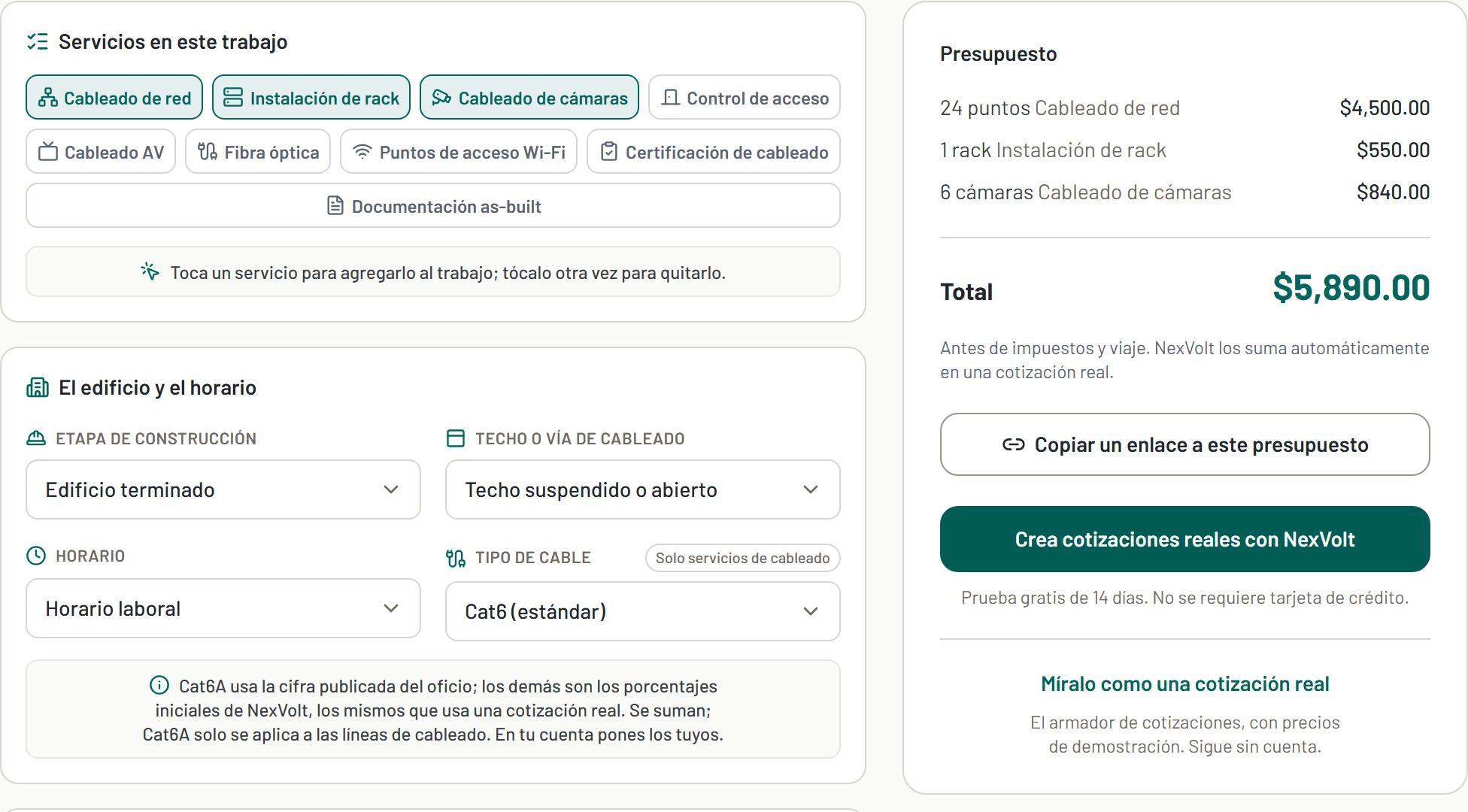
You can see a demo quote, try the pricing calculator, or look at the plans. The free trial needs no card.
Herramientas gratis para este trabajo
Sigue leyendo



Cotiza más rápido con NexVolt
Presupuestos profesionales con tu marca para trabajo de bajo voltaje, en minutos.
Comienza tu prueba gratis