What's new
What changed, month by month.
NexVolt changes most weeks. Once a month, here is what is new for a contractor, in plain words. Only what is live, never what is planned.
October 2026
New
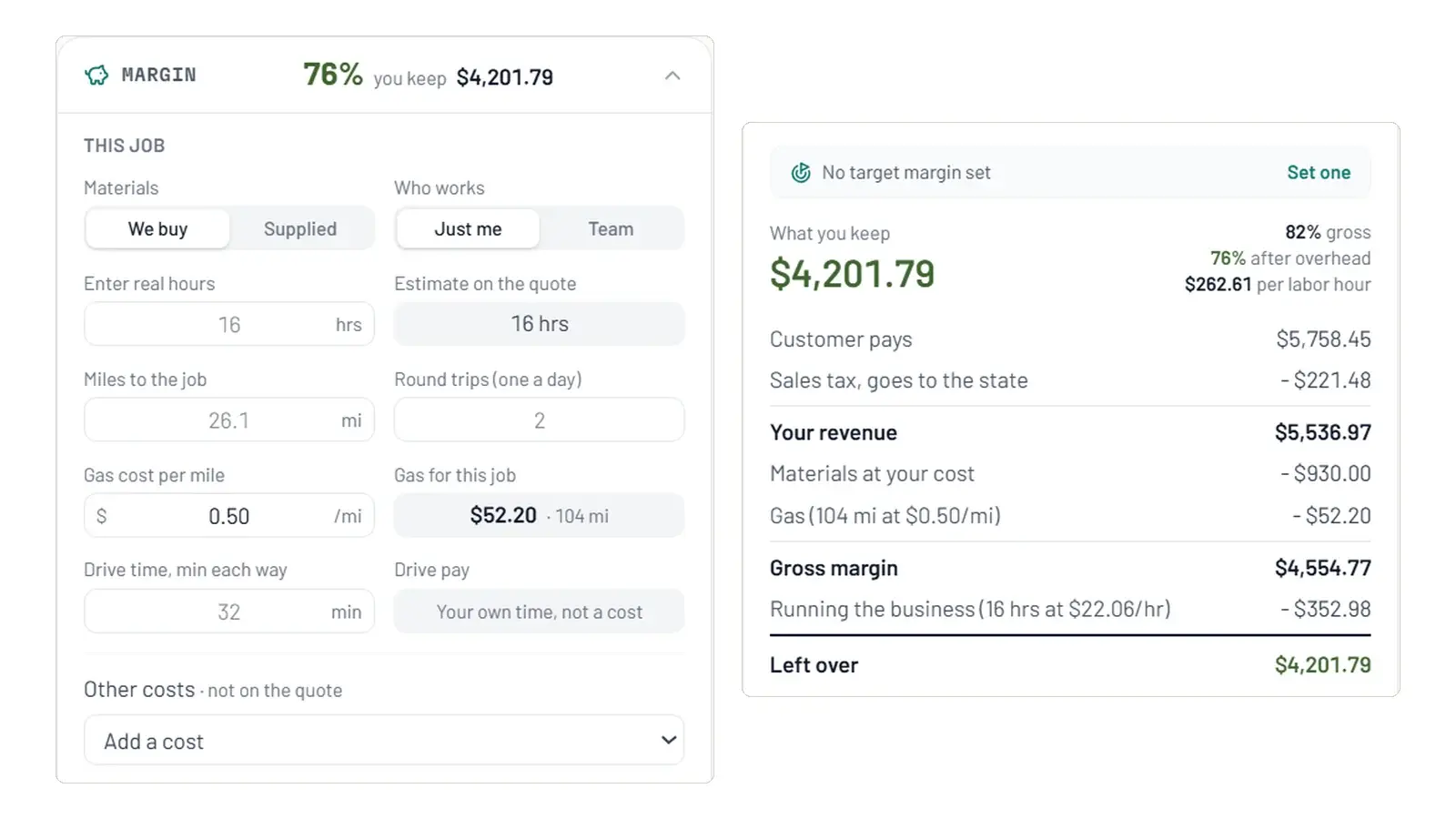
See what a job leaves you, before and after
The Margin box on a quote counts your parts, your team's pay, gas and drive time, so you see what you keep before you send it. When the job is done, enter what it really took and NexVolt sets it against the estimate and offers to update your costs.
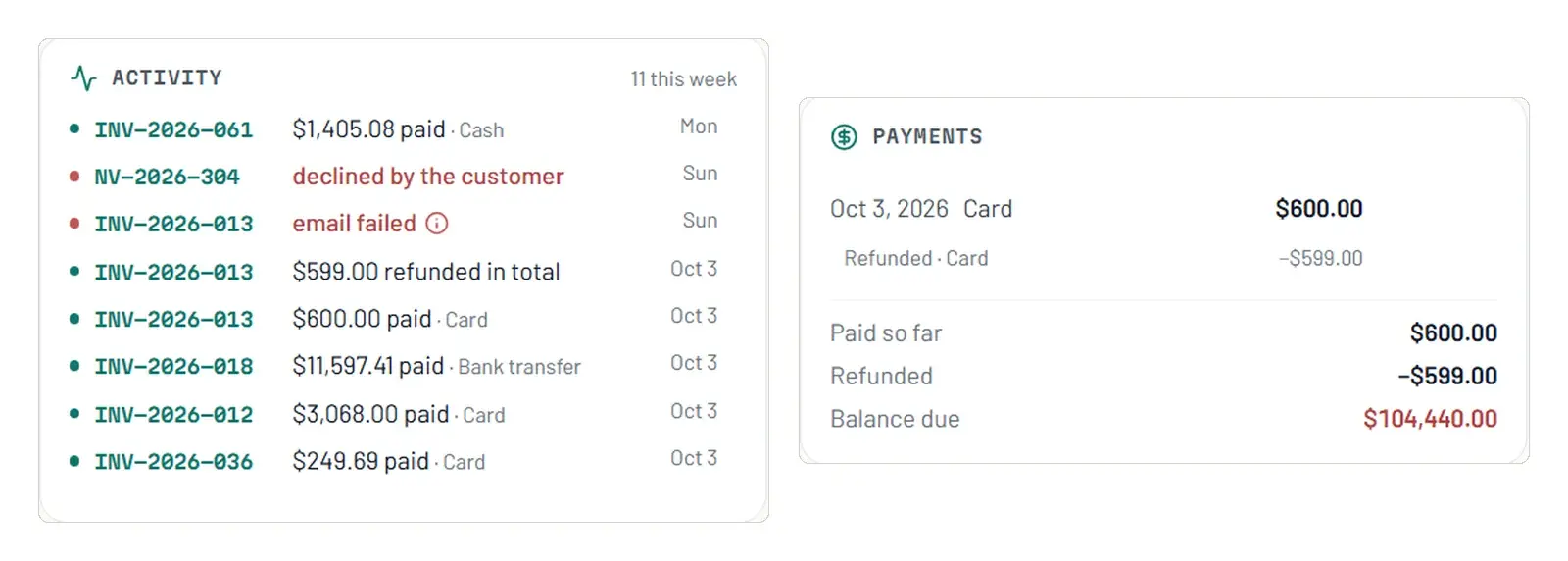
Payments in parts, receipts and refunds
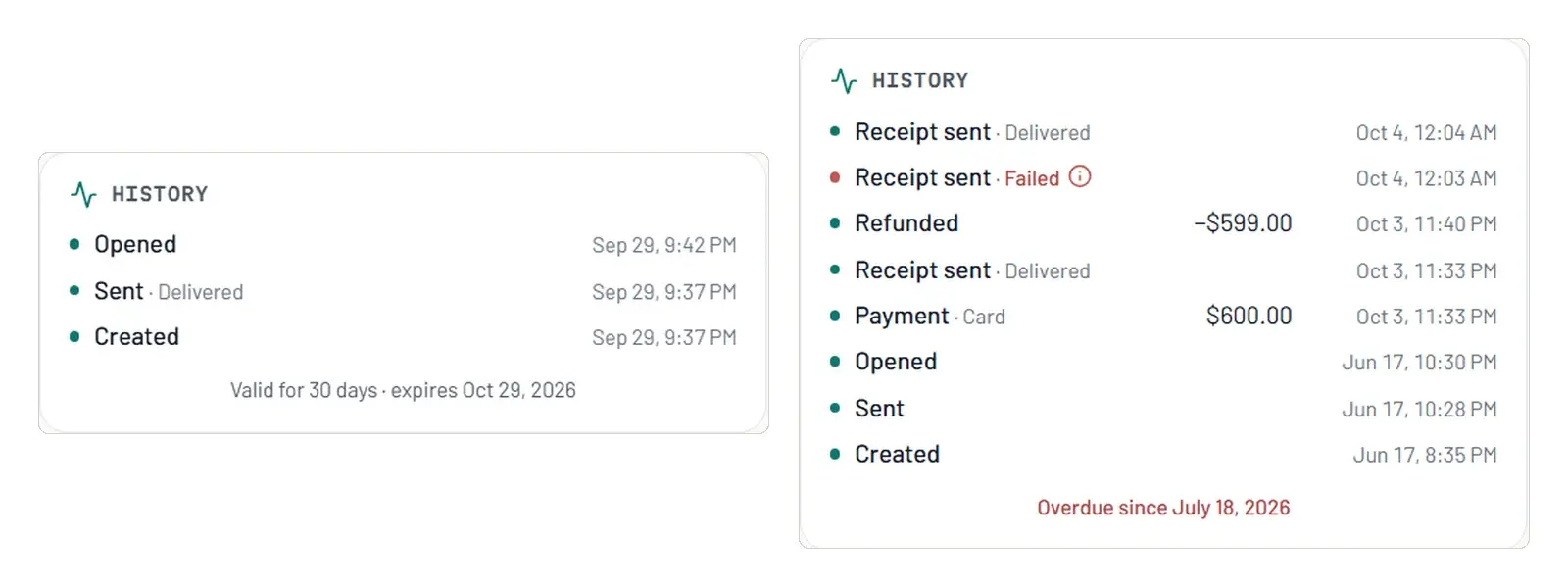
An invoice can hold several payments, by card or by hand. Customers can pay part online if you allow it, every card payment sends a receipt, and refunds go back in one click with the 1% Solo fee returned in proportion.
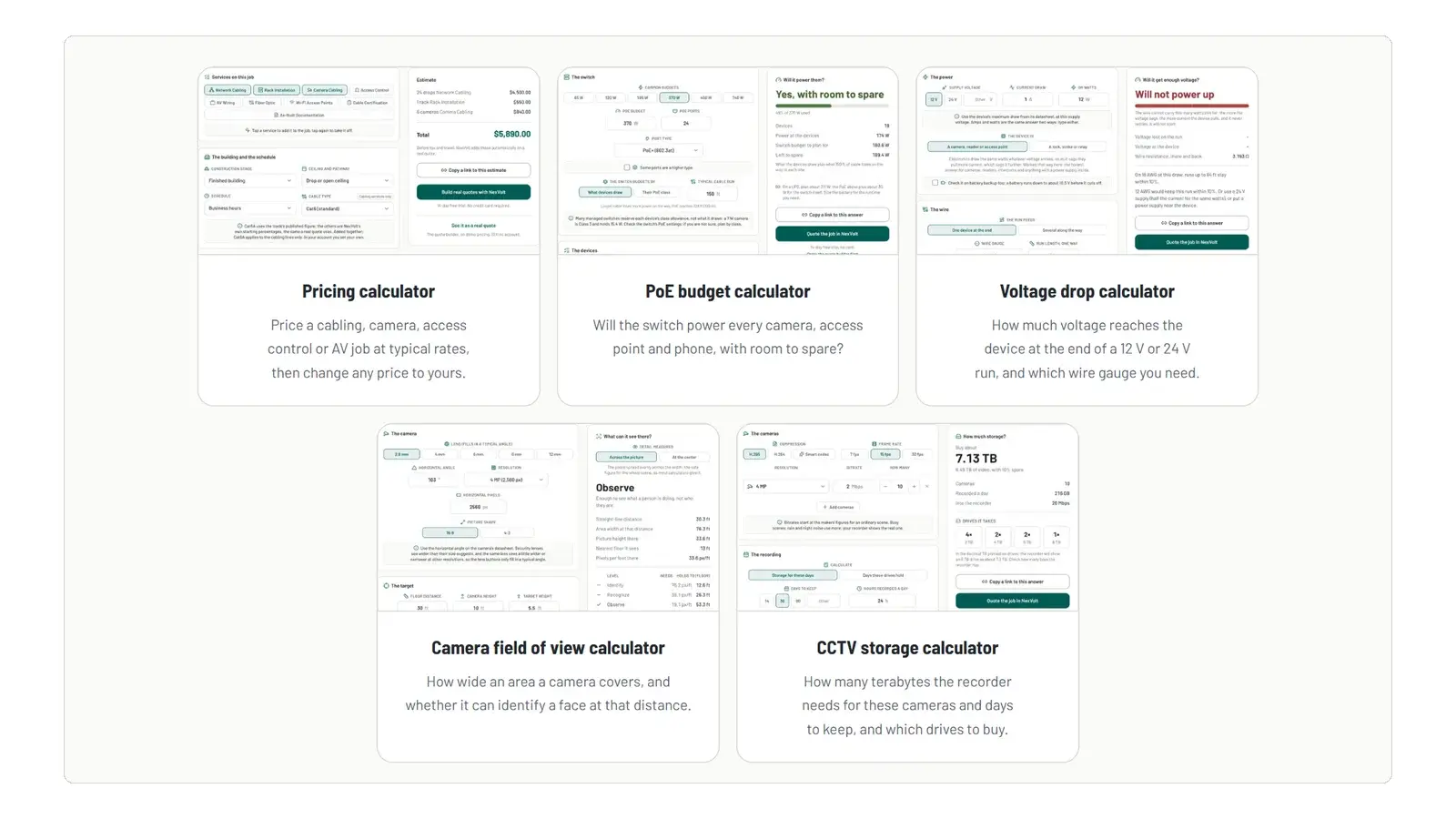
Five free calculators
Check It OutPoE budget, voltage drop, camera field of view, CCTV storage and a job price calculator, free for anyone, each with its working shown and its sources linked.
Smaller changes
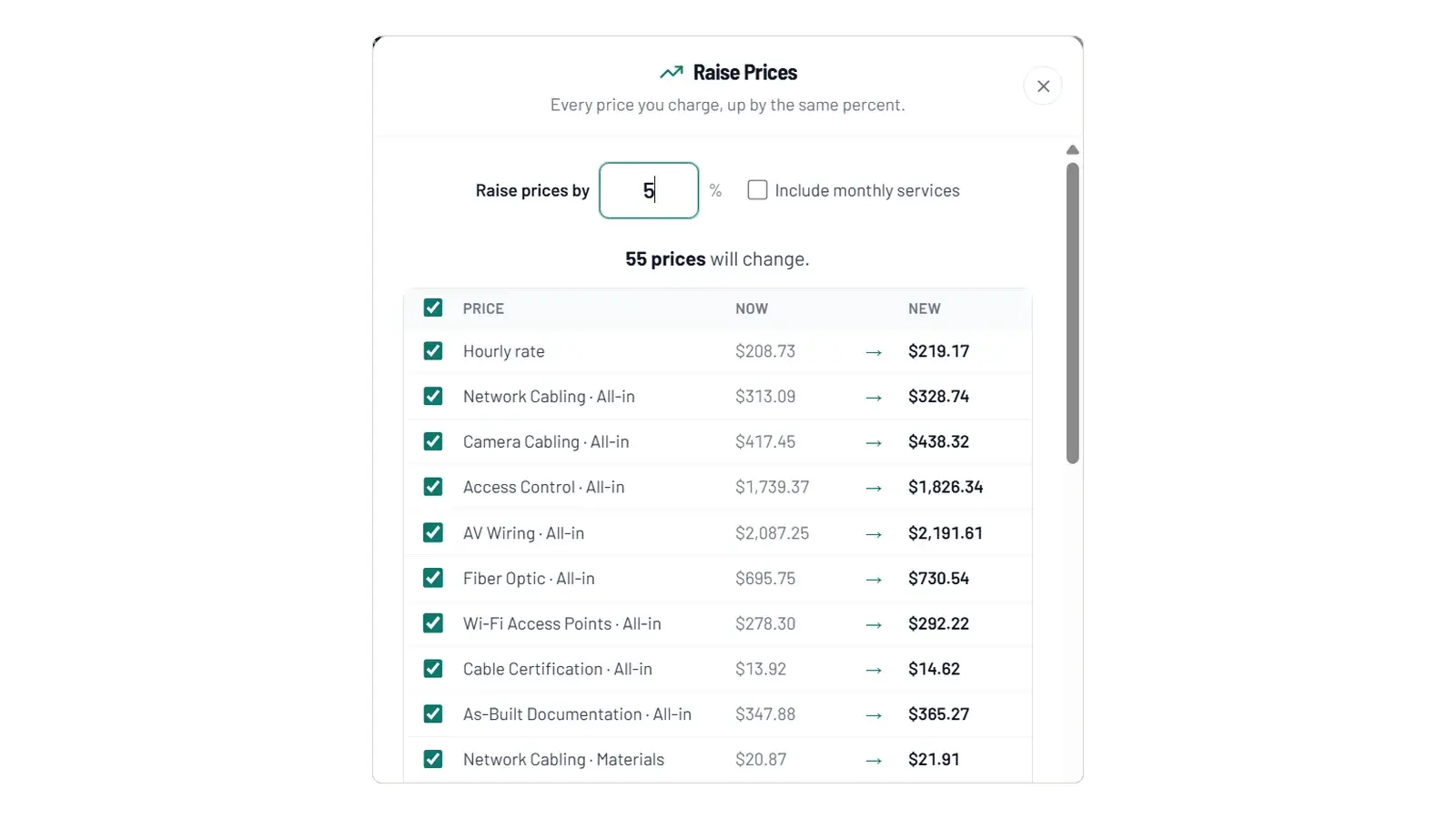
- Raise Prices now opens in a window: pick a percent, untick any price you want to keep, and change or undo the raise afterwards.
- Margin costs, its own tab under Pricing: your team with a role for each person, the parts cost of every service, and your gas.
- A job site apart from the billing address. Tax, distance and directions follow the site.
- Change a quantity on a quote's review page and the quote prices again. Optional extras have their own card.
- Assign requests and follow-ups to someone on your team. Field techs see what is theirs.
- Remove someone from your team. Their quotes and invoices keep their name, and their email is free to join another company.
- See the email before it goes, on every quote and invoice.
- A History panel shows when your customer opened a quote or an invoice.
- Customers: one page per customer, and two spellings of the same customer can be merged.
- Change orders: add or take off work on a signed job. Your customer signs it, and the final invoice follows.
- Credits on an invoice: money off with a reason, taken before tax. If the customer already paid, their invoice shows what will be refunded.
- Mark a quote as lost and note why. History shows who did it and when.
- From a quote, customers can ask for a visit, beside Email Me and Call Me.
September 2026
New
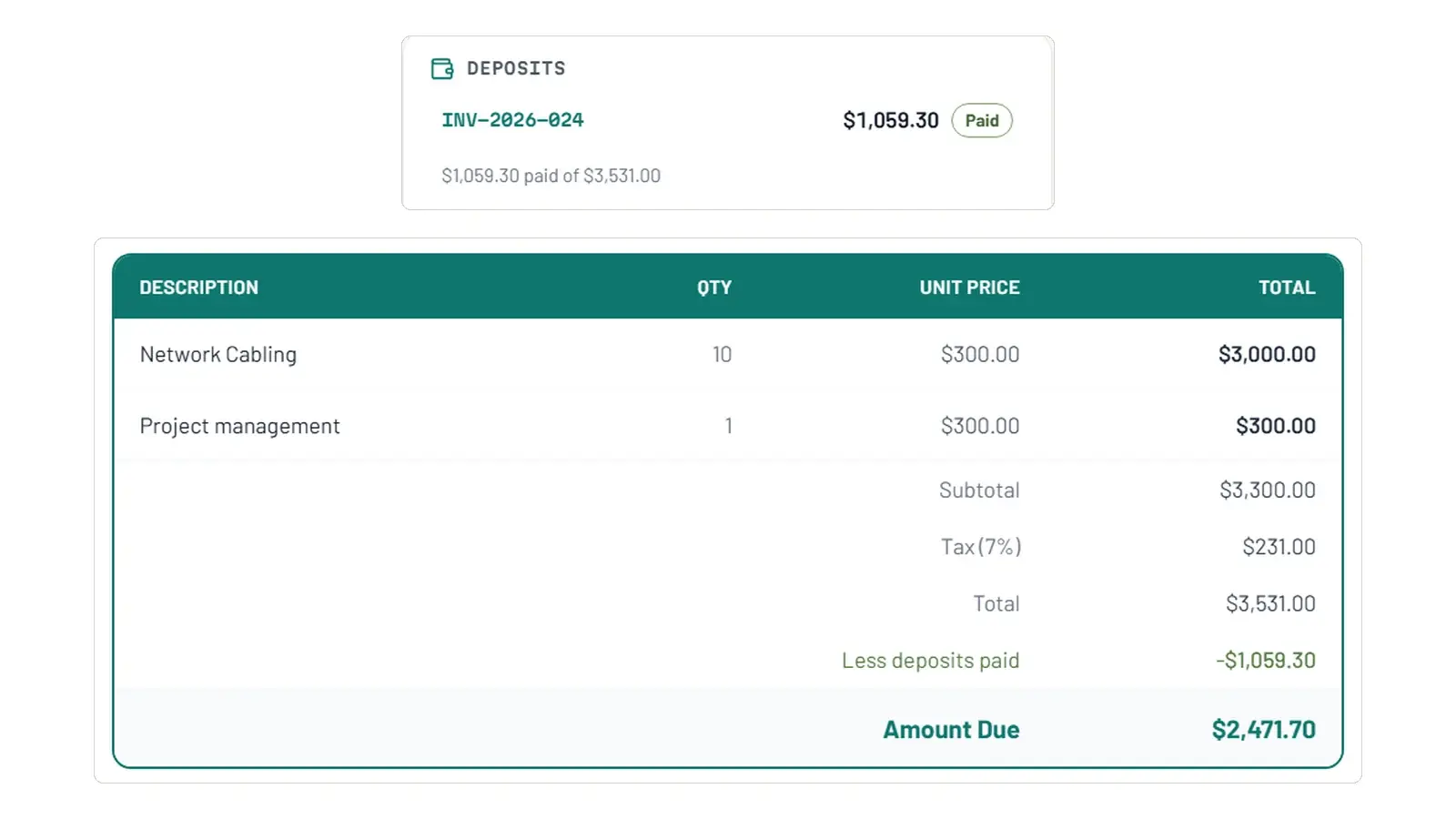
Deposits and late fees
Ask for a deposit on a won quote, as many as the job needs; the final invoice takes them off. Late fees are off until you set one, capped, and shown on every quote and invoice that carries them.
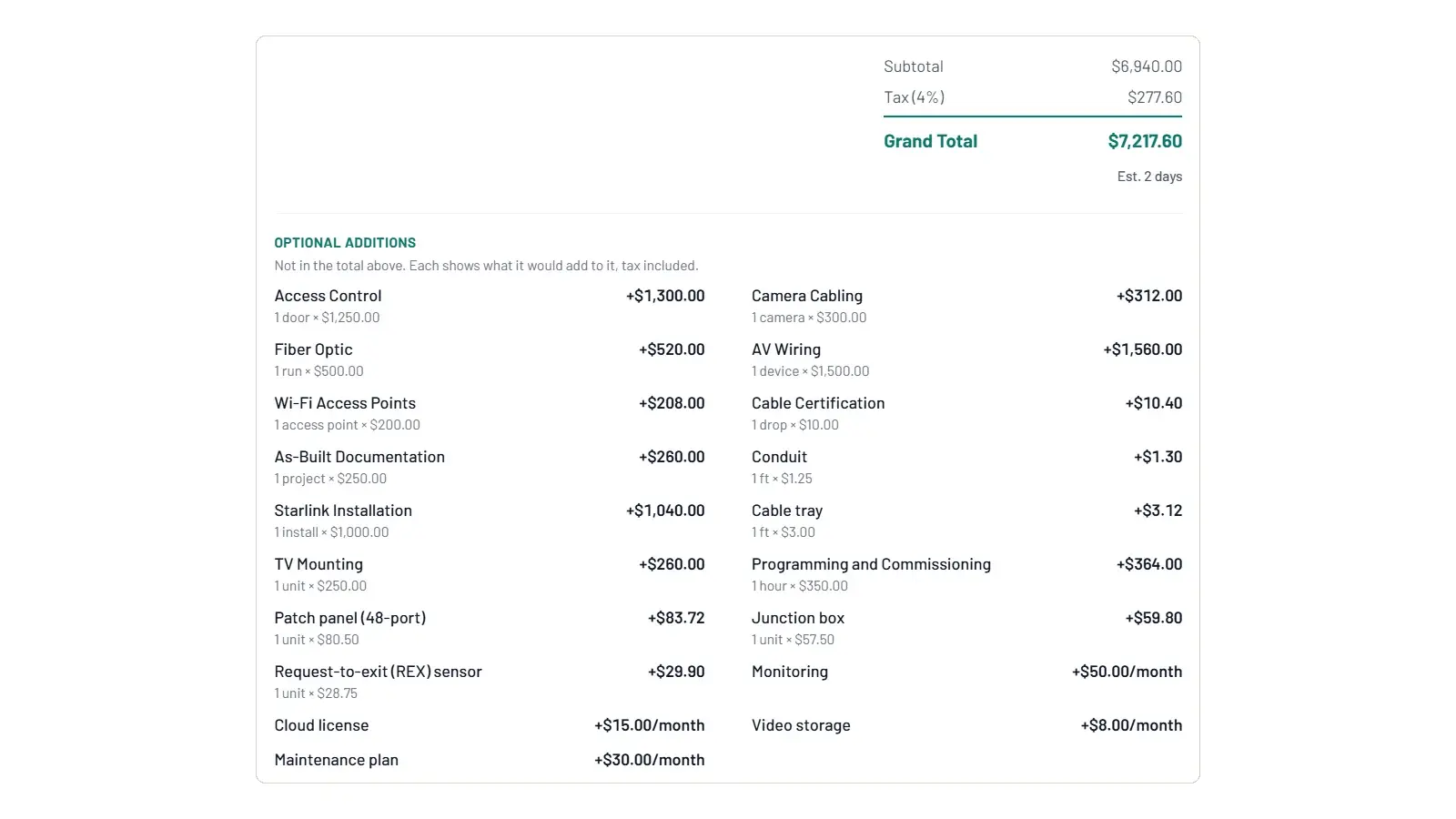
Optional extras your customer can pick
Add lines a customer may take or leave. They choose when they sign, and the deposit, the invoice and your totals follow what they chose.
Raise every price at once
Raise prices puts every rate up by the same percent, shows you each one old and new before anything is saved, and can be undone.
Smaller changes
- Close a request as won, lost or closed, with a reason, and see where customers heard about you.
- Your request page shows Licensed, Insured and Certified when your credentials say so.
- Follow-ups close themselves when a quote is signed or an invoice is paid.
- Export customers and payments to Excel.
- Price a past quote at today's rates in the Tester.
- Every page and email your customer reads speaks to them as usted in Spanish.
August 2026
New
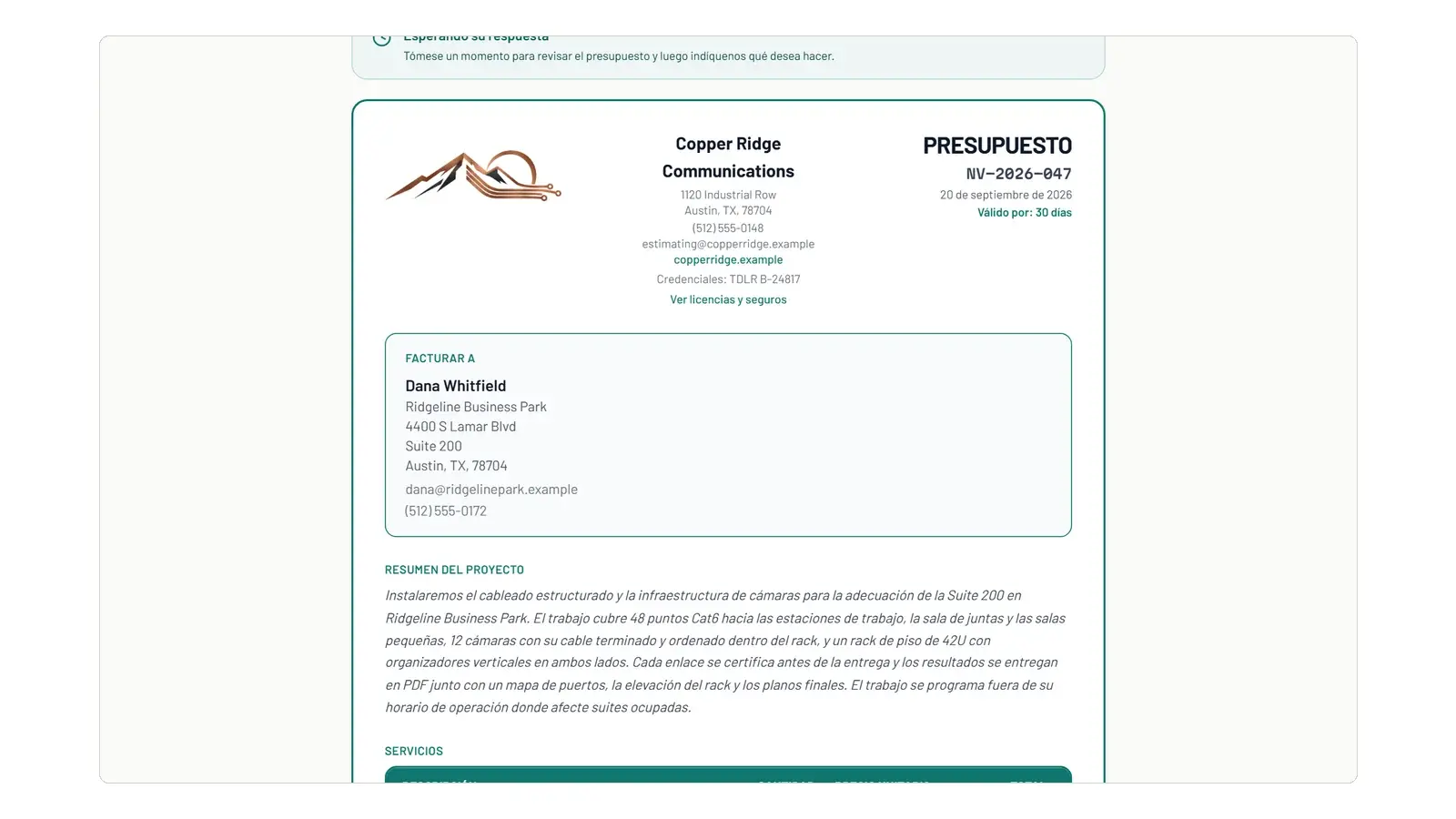
Quotes and invoices in Spanish
Turn Spanish on and any quote, invoice, request page, signing page and customer email can go out in Spanish, with your own footer in each language.
Know your email arrived
Every email NexVolt sends for you is recorded, and you can see whether it was delivered or bounced.
Smaller changes
- Sign in with a link by email instead of a password.
- Your own logo in the sidebar, and logos trimmed of empty space.
- A clear warning when the card on your plan fails.
- A way to reach us when you cannot sign in.
- Analytics shows what share of your sent quotes were won.